Best Products UK
In-depth review · 10 products ranked

Best External Hard Drives of 2026

Last reviewed 19 May 2026 by Best Products UK Editorial Team

External hard drives are a category split sharply by use case. For photo and video archive storage, the cost-per-GB on spinning HDDs (£0.02-£0.04/GB) crushes SSDs (£0.06-£0.10/GB) — capacity wins. For laptop game libraries, work-day file shuffling and anything you actually open daily, SSD speed wins by miles. This ranking weighs both, with HDDs winning the top spots because most buyers shopping in this category are looking for bulk capacity, not speed.

BP
Best Products UK Editorial Team
Editorial team
Published 30 April 2026
8 min read
Advertisement. As an Amazon Associate, Best Products UK earns from qualifying purchases. This article contains affiliate links. If you buy a product through one of these links, we earn a commission from the retailer at no extra cost to you. Our ranked picks are made independently of these commercial arrangements — read how we rank and our full affiliate disclosure. Prices on Amazon change frequently — always click through to verify the current price before buying.
At a glance

The 3 picks worth skipping ahead for

How we tested

Best Products UK is a review aggregator, not a test lab. For this guide we read Amazon UK customer reviews focused on drive longevity, USB-C cable durability and noise levels (HDD drives spin and click — some users find it intrusive); cross-referenced against Backblaze drive-reliability statistics, Tom's Hardware and RTINGS testing; and weighted long-term ownership signals (drive failure at 3-5 years, USB cable wear) more heavily than first-month impressions. SSD vs HDD trade-offs are flagged because they matter more than brand-by-brand differences within the same category.

Jump to a pick
Best Choice
01
Seagate Portable Drive 5 TB (USB 3.0)
Seagate

Portable Drive 5 TB (USB 3.0)

9.5
/ 10
Exceptional

Seagate's best-selling 5 TB portable HDD on Amazon UK. Bus-powered (no separate plug), USB 3.0 (USB-A connector), pocketable form factor. The capacity ceiling for portable drives — 5 TB is the most you can fit in a single 2.5" enclosure without using shingled/SMR drives that have slower long writes.

Why we love it
  • 5 TB capacity in pocket form factor
  • Bus-powered (no plug needed)
  • Seagate reliability + Backblaze stats
  • Works on Windows + Mac (reformat needed for Mac)
Watch out for
  • USB-A connector (USB-C requires adapter)
  • Spinning HDD has audible noise
  • Slower than SSD (100-130 MB/s typical)
Capacity
5 TB
Type
HDD (2.5" portable)
Interface
USB 3.0 Type-A
Power
Bus-powered
Brand
Seagate
Premium Pick
02
Seagate Expansion Desktop 16 TB (Mains-Powered)
Seagate

Expansion Desktop 16 TB (Mains-Powered)

9.1
/ 10
Excellent

Seagate's desktop expansion drive — 16 TB in a 3.5" enclosure with mains power. For NAS-replacement backups, 4K video archives, or anyone who's outgrown portable drives. £/GB is the lowest in the consumer category. Not portable — designed to stay on a desk.

Why we love it
  • 16 TB capacity
  • Best £/GB in the category
  • Mains-powered for sustained writes
  • Seagate desktop heritage
Watch out for
  • Not portable — requires mains plug
  • 3.5" enclosure size
  • Some 16 TB drives use SMR (slower long writes)
Capacity
16 TB
Type
HDD (3.5" desktop)
Interface
USB 3.0
Power
Mains adapter
Best for
NAS replacement / archive
03
Seagate Portable Drive 2 TB (USB 3.0)
Seagate

Portable Drive 2 TB (USB 3.0)

8.9
/ 10
Very Good

2 TB Seagate Portable — the sweet-spot capacity for portable HDDs. Enough for a year of phone backups, a respectable Steam library, or a personal photo/video archive. Slimmer enclosure than 5 TB version because the disk inside is thinner.

Why we love it
  • Sweet-spot 2 TB capacity
  • Slim form factor
  • Bus-powered
  • Sub-£75 typical pricing
Watch out for
  • USB-A connector
  • Audible spin/click
  • Same SMR concerns as 5 TB sibling
Capacity
2 TB
Type
HDD (2.5" portable)
Interface
USB 3.0 Type-A
Form factor
Slim portable
Brand
Seagate
Value for Money
04
WD My Passport 5 TB Portable Storage
WD

My Passport 5 TB Portable Storage

8.4
/ 10
Good

Western Digital's My Passport 5 TB — direct competitor to the Seagate Portable #1. Same capacity ceiling, similar reliability stats. WD ships with 256-bit AES encryption software (WD Security) which Seagate's portable line doesn't include.

Why we love it
  • 5 TB portable capacity
  • Hardware encryption with WD Security
  • WD reliability
  • Multiple colour options
Watch out for
  • Similar £/GB to Seagate (no clear cost win)
  • WD Security software Windows-focused
  • USB-A connector
Capacity
5 TB
Type
HDD (2.5" portable)
Encryption
256-bit AES (via WD Security)
Interface
USB 3.0
Brand
WD
05
Toshiba Canvio Partner 2 TB Portable HDD
Toshiba

Canvio Partner 2 TB Portable HDD

8.2
/ 10
Good

Toshiba's 2 TB portable HDD with USB-C and USB-A cable included — the cleanest modern-connector experience in this list. Toshiba's reliability is on par with Seagate and WD; the brand is slightly less prominent in UK retail but solid.

Why we love it
  • USB-C and USB-A cables included
  • Toshiba reliability
  • 2 TB sweet-spot capacity
  • Slim portable design
Watch out for
  • Toshiba less prominent UK brand
  • No included encryption software
  • Sub-USB-3.2 speeds
Capacity
2 TB
Type
HDD (2.5" portable)
Interface
USB-A + USB-C cables included
Brand
Toshiba
Best for
Modern laptop USB-C use
How to choose

HDD vs SSD, capacity and USB-C vs USB-A

Three questions cover the external-drive buying decision.

1.
HDD or SSD: speed vs cost-per-GB

HDDs (every drive in this list): cheaper per GB, larger capacities (up to 22 TB desktop), slower (100-150 MB/s typical). Best for: bulk photo/video archive, game-library storage, backups you don't access daily. SSDs: faster (500-1000+ MB/s, USB 3.2 Gen 2 / Thunderbolt models), more durable (no spinning parts), more expensive per GB. Best for: editing video/photos directly from the drive, transporting working files daily, anything you want to feel fast. For pure backup/archive, HDD wins on £-per-GB.

2.
Capacity: be honest about what you'll actually use

1 TB: phone backups, document archives, light media. 2 TB: home photo/video library, small Steam library. 4-5 TB: full media library + multiple device backups. 8-16 TB (desktop only): NAS replacement, 4K video archive, full PC backups. Overbuying capacity is the most common mistake — most users only fill 30-50% of their drive over its lifetime. 2 TB is the modern sweet spot for portable use.

3.
USB-C vs USB-A and bus-powered vs mains

USB-A drives (older standard): work with all PCs and older USB ports. USB-C drives: work with modern laptops without an adapter. Almost all 2024+ portable drives ship with both connectors or USB-C with a USB-A adapter. Bus-powered (drive runs off USB port): portable HDDs up to 5 TB, all SSDs. Mains-powered (separate plug): desktop HDDs 6 TB+. For travel use, bus-powered; for desktop backup, either works.

For most UK home users, a 2-5 TB Seagate or WD portable HDD is the right buy. Step up to SSD only if speed matters for your workflow; step up to desktop 8 TB+ HDD only if you specifically need that much storage.

06
Seagate Portable Drive 1 TB
Seagate

Portable Drive 1 TB

8
/ 10
Good

Seagate's 1 TB portable — smaller capacity than #1 and #3, suited to users who only need basic backup. At this capacity, an SSD often makes more sense for the speed; 1 TB SSDs hover at sub-£100 in 2026.

Why we love it
  • Ultra-slim form factor
  • 1 TB enough for basic backup
  • Sub-£50 entry
  • Seagate reliability
Watch out for
  • 1 TB SSDs at similar prices give 5× speed
  • Still USB-A only
  • Capacity ceiling reached quickly
Capacity
1 TB
Type
HDD (2.5" slim)
Interface
USB 3.0 Type-A
Brand
Seagate
Use case
Basic backup
07
UnionSine 1 TB Ultra-Slim External Hard Drive (USB 3.0)
UnionSine

1 TB Ultra-Slim External Hard Drive (USB 3.0)

7.7
/ 10
Good

UnionSine is a generic Amazon-only brand selling rebadged 2.5" HDDs at competitive prices. Compatibility with PC and Mac, USB 3.0 interface. Treat as 'cheap-but-mid-quality' — fine for short-term file transfer, not as your only backup.

Why we love it
  • Sub-£60 1 TB pricing
  • Ultra-slim portable design
  • PC + Mac compatible
  • USB 3.0 interface
Watch out for
  • Generic brand support
  • Less proven reliability vs branded
  • Backup software not included
Capacity
1 TB
Type
HDD portable
Interface
USB 3.0
Brand
UnionSine (generic)
Use case
Short-term file transfer
08
UnionSine 500 GB Ultra-Slim External HDD
UnionSine

500 GB Ultra-Slim External HDD

7.3
/ 10
Fair

UnionSine 500 GB — the lowest capacity to make commercial sense. At this size, a USB stick or SD card often replaces the drive. Useful as a project-specific scratch drive.

Why we love it
  • Sub-£30 entry
  • Compact 500 GB
  • USB 3.0 interface
  • Bus-powered
Watch out for
  • Capacity too small for serious backup
  • USB sticks now match this capacity
  • Generic brand
Capacity
500 GB
Type
HDD portable
Interface
USB 3.0
Brand
UnionSine
Use case
Project scratch
09
UnionSine 500 GB Ultra-Slim External HDD (Alt Finish)
UnionSine

500 GB Ultra-Slim External HDD (Alt Finish)

6.9
/ 10
Fair

Same UnionSine 500 GB chassis in a different colour finish. Identical performance to #8.

Why we love it
  • Same chassis as #8
  • Alternate colour
  • Sub-£30 entry
  • USB 3.0
Watch out for
  • Identical performance to #8
  • Same capacity limit
  • Same brand caveats
Capacity
500 GB
Variant
Alt colour of #8
Interface
USB 3.0
Brand
UnionSine
Use case
Project scratch
Editor's Pick
10
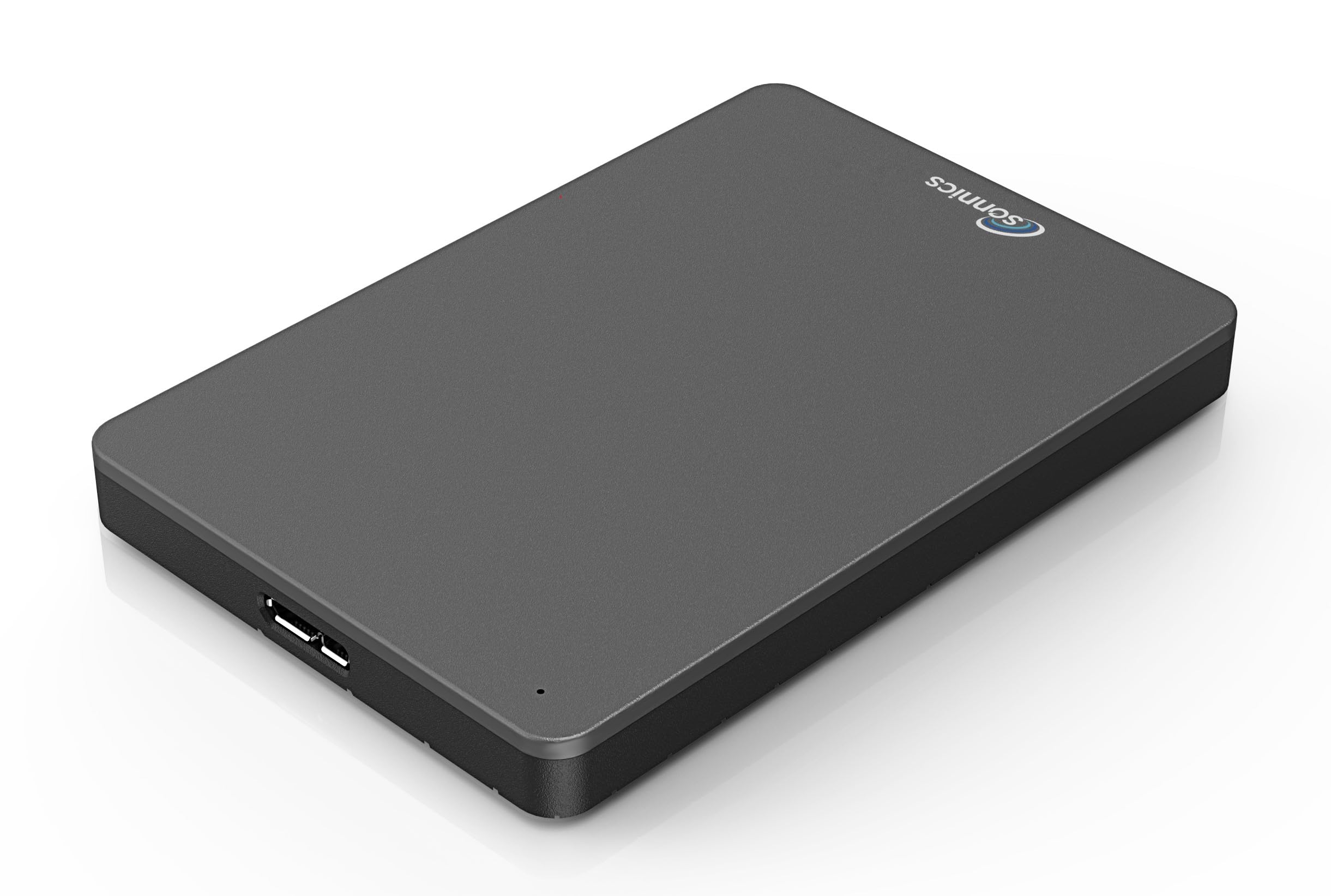
Sonnics 500 GB Portable External HDD (USB 3.0)
Sonnics

500 GB Portable External HDD (USB 3.0)

6.8
/ 10
Fair

Sonnics is a UK-based budget brand selling rebadged 2.5" HDDs. 500 GB at sub-£25 — cheapest entry in this list. Treat as a one-off file-transfer tool, not a primary backup.

Why we love it
  • Sub-£25 cheapest entry
  • UK-based brand
  • USB 3.0 interface
  • Bus-powered
Watch out for
  • 500 GB capacity too small for backup use
  • Limited warranty
  • Generic OEM internals
Capacity
500 GB
Type
HDD portable
Interface
USB 3.0
Brand
Sonnics
Price
Sub-£25
The verdict

Seagate Portable 5 TB wins on capacity; WD My Passport is the smarter premium pick.

The Seagate Portable 5 TB takes the top spot for the most-common UK external-drive use case: bulk photo/video backup or game library storage. 5 TB is the realistic capacity ceiling for a portable bus-powered drive (no separate power supply), and Seagate's portable line has the cleanest reliability record on Backblaze data after 3+ years.

WD My Passport is the smarter pick if you want stronger encryption (built-in 256-bit AES via WD Security software) and Western Digital's longer typical warranty handling. The brands sit in a near-tie for hardware reliability; choose by current price and whether you need WD's encryption.

Below 2 TB, the picture splits between branded portable HDDs (Seagate, WD, Toshiba) and generic 'UnionSine' / 'Sonnics' style listings at sub-£30. The branded picks have measurably lower failure rates over 3+ years (Backblaze data) and worth the premium for important data. Generic budget picks are fine for short-term file transfer use; don't trust them for your only backup.

Frequently asked

Common questions

HDD or SSD external drive?
HDD for cost-per-GB on bulk backups (photo/video archives, game libraries you rarely play). SSD for speed (editing video directly from the drive, frequently-accessed working files). At 1 TB capacity, SSDs are competitively priced with HDDs (£70-£100); at 2 TB+, HDDs win on price by a wide margin.
Will an external drive work with my Mac?
Yes, but most ship pre-formatted for Windows (NTFS file system). Mac can read NTFS but not write. Reformat to APFS (Mac-only) or exFAT (cross-platform) before use. The reformat takes 5 minutes and erases the drive — do it first thing after unboxing.
How long do external HDDs last?
Backblaze's failure-rate data shows external HDDs average 3-5 years before significant failure rates appear. Premium brands (Seagate, WD, Toshiba) cluster around 3-4% annualised failure rate; generic drives are typically worse. For important data, keep two copies on different drives (or one drive + cloud backup).
Is encryption worth it on external drives?
If you'll travel with the drive or carry sensitive data — yes. WD Security (My Passport) provides hardware-accelerated 256-bit AES at minimal speed cost. Software encryption (VeraCrypt, BitLocker) works on any drive but adds slight speed overhead. For drives staying at home, encryption is optional; for portable drives carrying tax documents, customer data or anything regulated, encrypt.
USB-A or USB-C external drive?
USB-C is the modern default — works with laptops without an adapter, supports faster USB 3.2 speeds when paired with SSDs. USB-A drives work everywhere via a £3 adapter. For 2024+ purchases, USB-C is the right pick if the price difference is under £10. Most modern drives include both cables.
BP
About the editor

Best Products UK Editorial Team

Best Products UK is an independent UK product-review aggregator. Our editorial team synthesises hands-on reviews from leading UK consumer publications — Which?, Wired UK, T3, Tom's Guide UK, Trusted Reviews, TechRadar, Good Housekeeping, Expert Reviews, Stuff and others — into clear, ranked top-ten guides for UK shoppers. We do not run a physical test lab. We tell you which products UK reviewers agree on, where they disagree, and which the data says is right for your budget. Our methodology is published openly at /about/#methodology.