Best Products UK
In-depth review · 10 products ranked

Best Gaming Mice of 2026

Last reviewed 19 May 2026 by Best Products UK Editorial Team

Gaming-mouse spec sheets are full of impressive numbers (40,000 DPI! 8 KHz polling!) that almost nobody benefits from. The numbers that actually matter are weight, sensor type, polling rate (1 KHz is enough for 99% of users) and shape — and the last one is the most important and least quantifiable. This ranking sorts mice by what makes them genuinely useful, not by the loudest spec on the box.

BP
Best Products UK Editorial Team
Editorial team
Published 30 April 2026
8 min read
Advertisement. As an Amazon Associate, Best Products UK earns from qualifying purchases. This article contains affiliate links. If you buy a product through one of these links, we earn a commission from the retailer at no extra cost to you. Our ranked picks are made independently of these commercial arrangements — read how we rank and our full affiliate disclosure. Prices on Amazon change frequently — always click through to verify the current price before buying.
At a glance

The 3 picks worth skipping ahead for

How we tested

Best Products UK is a review aggregator, not a test lab. For this guide we read Amazon UK customer reviews focused on long-session comfort, click longevity and battery life on wireless models; cross-referenced against RTINGS, Linus Tech Tips and pro-FPS roundup testing; and weighted long-term ownership signals (double-click failures, scroll-wheel reliability, sensor drift after 12+ months) more heavily than first-week impressions. Pro-tournament sensor data (Hero/Focus Pro 30K) is referenced where verified.

Jump to a pick
Best Choice
01
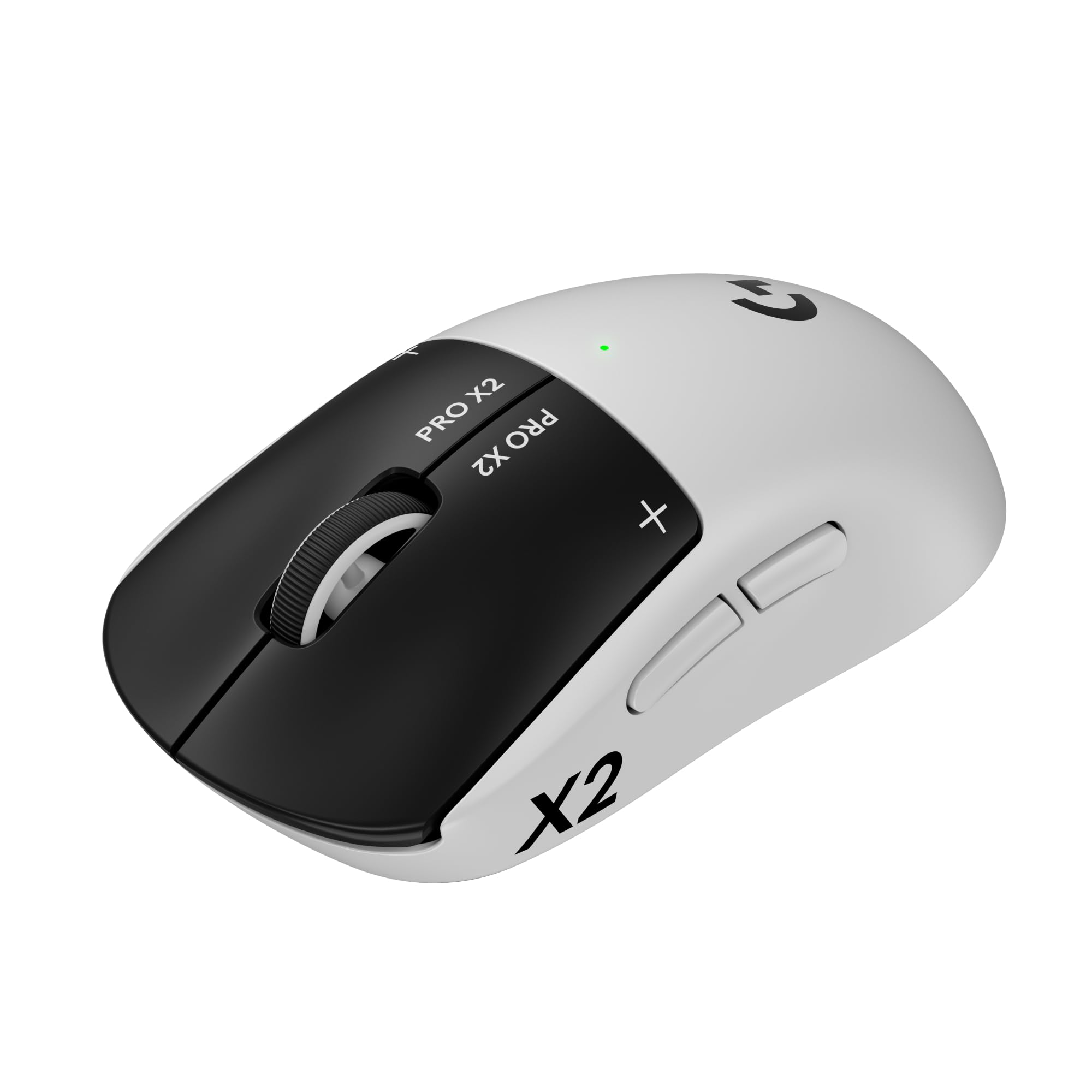
Logitech G PRO X Superlight 2 Wireless Gaming Mouse
Logitech G

PRO X Superlight 2 Wireless Gaming Mouse

9.4
/ 10
Excellent

The reference pro-tournament mouse. 60 g weight, Hero 2 sensor (zero smoothing, zero acceleration), Lightspeed wireless with 1 ms latency, 95-hour battery. The shape is intentionally neutral so it works across grip styles. Used by most CS:GO and Valorant pros in 2026.

Why we love it
  • Ultra-light 60 g for fast flick aim
  • Pro-tournament reference sensor (Hero 2)
  • 1 ms Lightspeed wireless
  • 95-hour battery, USB-C charging
Watch out for
  • Premium price tier
  • Five buttons only (no MMO side cluster)
  • PTFE skates wear faster than coated
Sensor
Hero 2
DPI
Up to 32,000
Weight
60 g
Connection
Lightspeed wireless (1 ms)
Battery
~95 hr
Premium Pick
02
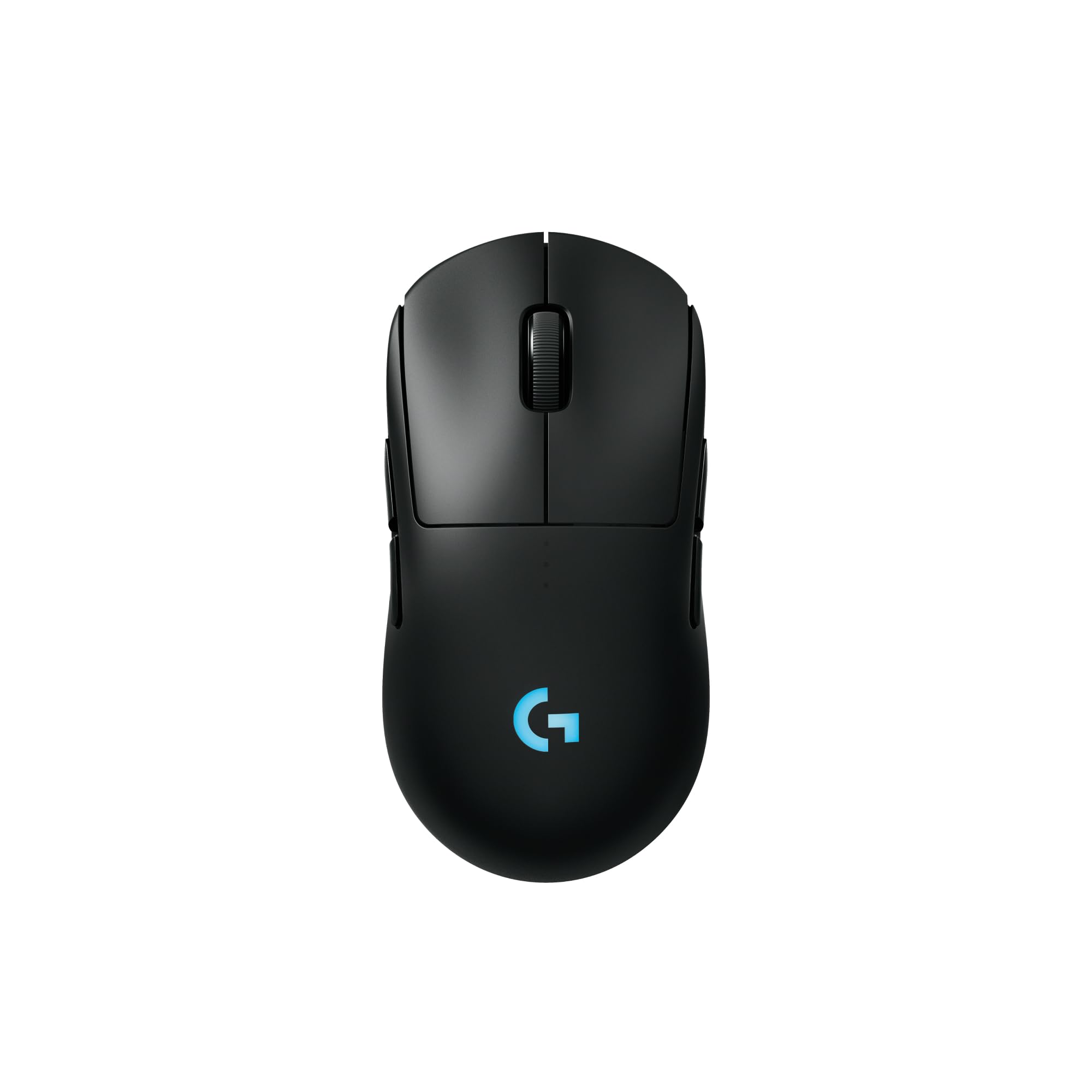
Logitech G PRO 2 LIGHTSPEED Wireless Gaming Mouse
Logitech G

PRO 2 LIGHTSPEED Wireless Gaming Mouse

9.1
/ 10
Excellent

The G PRO 2 is a slightly heavier (80 g) ambidextrous mouse with the same Lightspeed wireless and Hero sensor. Suits players who find the Superlight 2 too light to control precisely; common choice for FPS pros who prefer slightly more mouse mass.

Why we love it
  • Ambidextrous shape (configurable buttons)
  • Same Hero/Lightspeed tech as Superlight
  • Heavier 80 g feels more controllable for some
  • Multi-host wireless
Watch out for
  • Heavier than Superlight 2
  • Premium pricing
  • Smaller community vs Superlight
Sensor
Hero
Weight
~80 g
Connection
Lightspeed wireless
Shape
Ambidextrous
Battery
~60 hr
03
Logitech G PRO X2 SUPERSTRIKE Lightspeed Wireless Gaming Mouse
Logitech G

PRO X2 SUPERSTRIKE Lightspeed Wireless Gaming Mouse

8.8
/ 10
Very Good

The newer Superstrike variant — Lightspeed wireless, refreshed sensor, and updated switches with reduced double-click failure risk. The 2026 evolution of the PRO X line; if you're buying new, this is the version to choose.

Why we love it
  • Updated switches resist double-click failure
  • Latest Hero sensor revision
  • Lightspeed wireless
  • Compatible with G PRO Superlight 2 skates
Watch out for
  • Newer model = limited long-term reliability data
  • Premium price for incremental update
  • Same general shape as predecessors
Sensor
Hero (latest)
Weight
60-65 g
Connection
Lightspeed
Switches
Updated mechanical
Battery
~90 hr
Value for Money
04
Logitech G G502 HERO High-Performance Wired Gaming Mouse
Logitech G

G502 HERO High-Performance Wired Gaming Mouse

8.7
/ 10
Very Good

The iconic G502 — eleven programmable buttons, Hero sensor, adjustable weight system. Heavier (121 g) than modern FPS mice but suits palm-grip users and gives MMO/creative-app users enough buttons for serious productivity macros.

Why we love it
  • 11 programmable buttons
  • Hero sensor (pro-grade)
  • Adjustable weight
  • Sub-£60 for high-feature wired mouse
Watch out for
  • Heavier than modern FPS standard
  • Wired only (no wireless variant at this price)
  • Right-hand-only shape
Sensor
Hero
DPI
Up to 25,600
Weight
121 g (adjustable)
Buttons
11 programmable
Connection
Wired
05
Logitech G G309 LIGHTSPEED Wireless Gaming Mouse
Logitech G

G309 LIGHTSPEED Wireless Gaming Mouse

8.2
/ 10
Good

The cheapest entry to Logitech's Lightspeed wireless ecosystem. Hero sensor, ~85 g weight, 90+ hour battery life on a single AA. The trade-off vs the PRO line is the shape (slightly chunkier) and the AA battery system instead of rechargeable lithium-ion.

Why we love it
  • Sub-£60 Lightspeed wireless entry
  • Hero sensor (full pro-grade)
  • AA battery — easy field replacement
  • Compact shape
Watch out for
  • AA battery system (not rechargeable)
  • Shape slightly bulkier than PRO line
  • Fewer buttons than G502
Sensor
Hero
Weight
~85 g
Connection
Lightspeed wireless
Battery
AA (~90 hr)
Buttons
6 programmable
How to choose

Weight, shape, wireless and the DPI/sensor question

Most gaming mouse buying mistakes come from chasing the wrong specs. Three principles cover the real decisions.

1.
Weight: matters more than DPI

Under 70 g: ultra-light FPS mice (G PRO X Superlight, Razer Viper). Best for flick-shot games like CS:GO and Valorant where you whip the mouse across the pad. 70-90 g: balanced — fine for most games. 90-120 g: heavier MMO/general-use mice with more buttons and features. 120 g+: rare in 2026 because the trend is toward lighter mice. Pick weight by your grip style: claw and fingertip grip want lighter; palm grip handles heavier.

2.
Wireless or wired?

Modern wireless gaming mice (Logitech Lightspeed, Razer HyperSpeed) have latency at 1-2 ms — indistinguishable from wired for human reaction. Battery life is 60-90 hours typical. The trade-off is purchase price (£40-100 premium) and another thing to charge. For competitive play, wireless wins on cable drag. For casual gaming or always-at-desk use, wired wins on no-charge convenience.

3.
Sensor: stop reading DPI numbers

DPI above 1600 is irrelevant for almost everyone — most pros play at 400-800 DPI. What actually matters is whether the sensor has acceleration, smoothing or angle snapping (modern Logitech Hero and Razer Focus Pro sensors don't; cheap optical sensors sometimes do). Anything from Logitech G, Razer, Glorious, Pulsar, ZOWIE or Endgame Gear in 2026 has a flawless sensor. Spend the marketing-DPI energy on shape and weight instead.

Try the mouse in your actual hand if you can (a local PC shop or returns-friendly online retailer). Shape is the single hardest-to-predict variable and matters more than any spec sheet feature.

06
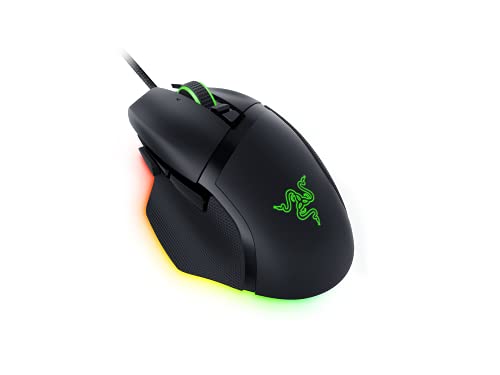
Razer Basilisk V3 Wired Gaming Mouse (11 Buttons)
Razer

Basilisk V3 Wired Gaming Mouse (11 Buttons)

7.8
/ 10
Good

Razer's main wired all-rounder. 11 programmable buttons including a smart-scroll wheel (snaps between notched precision and free-spin scrolling). The Focus+ optical sensor is competitive with Logitech Hero. Heavier than FPS-focused mice but suits palm-grip productivity users.

Why we love it
  • Smart-scroll wheel (notched + free-spin)
  • 11 programmable buttons
  • Focus+ optical sensor
  • Razer Chroma RGB
Watch out for
  • Wired only
  • Heavier (101 g) than modern FPS picks
  • Right-hand-only shape
Sensor
Focus+
DPI
Up to 26,000
Weight
101 g
Buttons
11 programmable
Connection
Wired
07
Logitech G G305 LIGHTSPEED Wireless Gaming Mouse
Logitech G

G305 LIGHTSPEED Wireless Gaming Mouse

7.7
/ 10
Good

The G305 was the original cheap Lightspeed wireless mouse and remains an excellent value pick. Hero sensor, AA battery, 250-hour life. The shape is the older 'G203 ambidextrous' design — small, neutral, suits claw or fingertip grip.

Why we love it
  • Lightspeed wireless at sub-£40
  • 250-hour AA battery life
  • Hero sensor
  • Compact ambidextrous shape
Watch out for
  • AA battery adds weight (~99 g)
  • Older shape (some find chunky)
  • 6 buttons only
Sensor
Hero
Weight
99 g (with AA)
Connection
Lightspeed wireless
Battery
AA (~250 hr)
Buttons
6
08
Logitech G G203 Lightsync Wired Gaming Mouse
Logitech G

G203 Lightsync Wired Gaming Mouse

7.4
/ 10
Fair

The G203 is Logitech's best-selling wired beginner gaming mouse. Mercury sensor (not Hero, but very capable), Lightsync RGB, ambidextrous shape. Below £25 in most stocks, it's the default 'first proper gaming mouse' recommendation.

Why we love it
  • Sub-£25 entry to proper gaming mice
  • Mercury sensor — perfectly adequate
  • Lightsync RGB
  • Ambidextrous shape
Watch out for
  • Mercury sensor below Hero spec
  • 85 g — not ultra-light
  • Wired only
Sensor
Mercury optical
DPI
Up to 8,000
Weight
85 g
Connection
Wired
RGB
Lightsync (3 zones)
09
Razer DeathAdder Essential (2021) Wired Gaming Mouse
Razer

DeathAdder Essential (2021) Wired Gaming Mouse

7.2
/ 10
Fair

Razer's most iconic shape in a budget configuration. The DeathAdder ergonomic right-hand profile is loved by palm-grip users; the Essential drops fancy software and high-end sensor for a no-frills pick at sub-£25.

Why we love it
  • Iconic DeathAdder ergonomic shape
  • Palm-grip friendly
  • Sub-£25 budget
  • Razer software simple
Watch out for
  • Basic 6,400 DPI optical sensor
  • Right-hand only
  • Less feature-rich than G203 at similar price
Sensor
Optical (6,400 DPI)
Weight
96 g
Shape
Right-hand ergonomic
Buttons
5
Connection
Wired
Editor's Pick
10
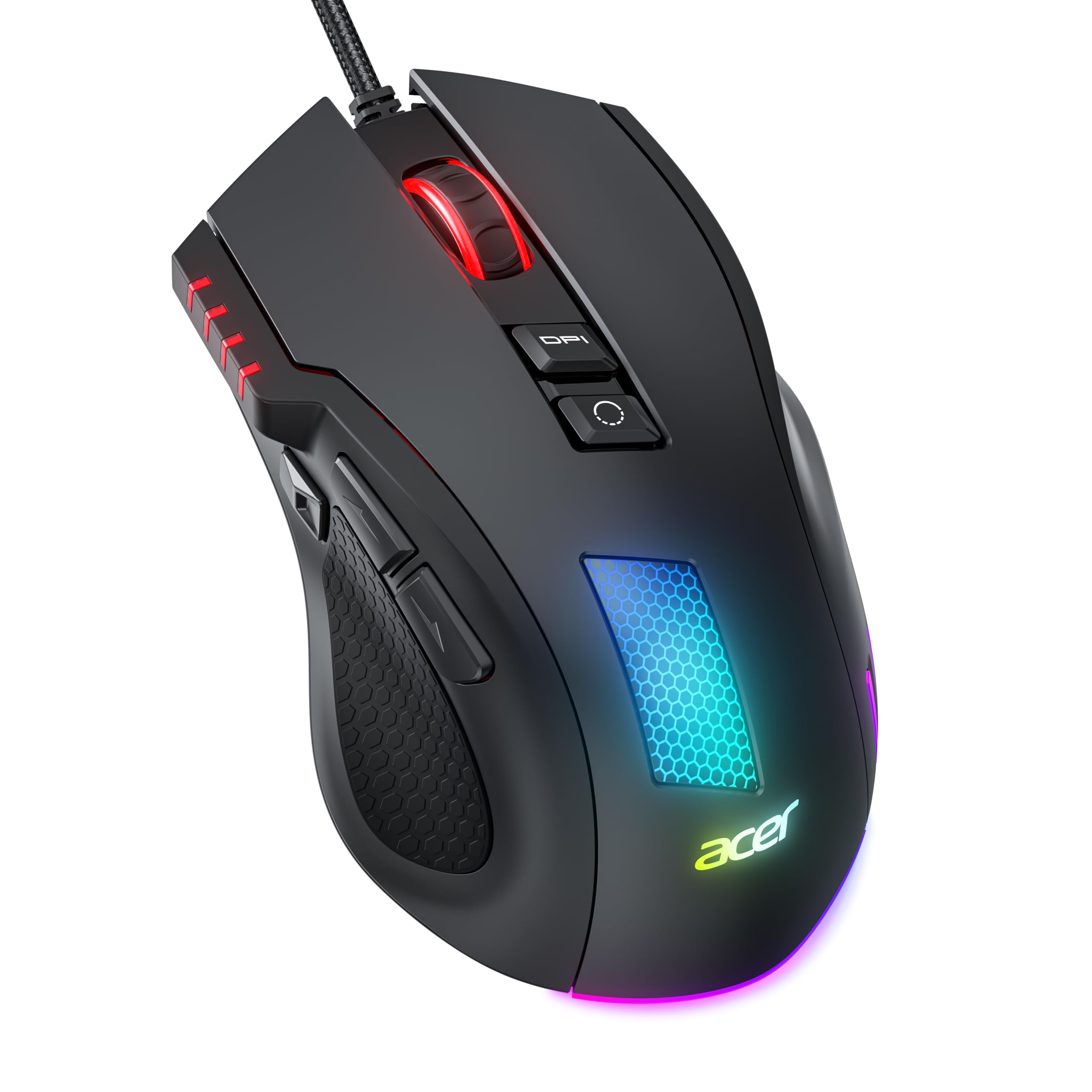
Acer Wired RGB Gaming Mouse (12,800 DPI)
Acer

Wired RGB Gaming Mouse (12,800 DPI)

6.6
/ 10
Fair

Acer's sub-£25 entry — branded by a major PC maker but built by a generic ODM. Spec sheet hits the marketing numbers (12,800 DPI, RGB) but switch quality lags branded picks. Fine for casual gaming, not for daily-driver use.

Why we love it
  • Sub-£25 with RGB and high DPI
  • Acer brand support
  • Adequate for casual gaming
  • Lightweight
Watch out for
  • Switch quality below Logitech/Razer
  • 12,800 DPI is marketing — sensor is basic
  • Will not last as long as branded picks
Sensor
Optical (12,800 DPI claimed)
Weight
~90 g
RGB
Multi-zone
Connection
Wired
Buttons
6
The verdict

Logitech G PRO X Superlight 2 wins overall; G502 HERO is the best non-wireless value.

The Logitech G PRO X Superlight 2 takes the top spot because it's the mouse most CS:GO and Valorant pros actually use in 2026 — and pro choice is the strongest available signal for tournament-grade sensor accuracy and shape neutrality. 60 g weight, Lightspeed wireless with 1 ms latency, and the Hero 2 sensor that has zero acceleration or smoothing. The price is high but the build is genuinely the reference for the category.

For users not chasing pro performance, the wired Logitech G502 HERO is the smarter buy. It's heavier (around 121 g) but that suits palm-grip users; eleven programmable buttons cover MMO and creative-app use cases; and the price has dropped over time to make it the best value high-feature mouse on the market.

Below the £40 line, the picture is honest. The Logitech G203 Lightsync and Razer DeathAdder Essential are the safe budget picks — boring shapes, decent sensors, no surprises. The Acer entry at #10 is sub-budget territory; fine for occasional use but the click switches won't last as long as the branded picks.

Frequently asked

Common questions

What DPI should I use?
Most FPS pros play at 400-800 DPI. For productivity work and creative apps, 1200-1800 DPI is the sweet spot. DPI above 3200 is rarely useful — anything higher just means tiny pointer movements need huge sensitivity reduction in Windows. The mouse's maximum DPI number is mostly marketing.
Wireless vs wired — really, what's the difference?
In 2026, almost none for human reaction. Lightspeed and HyperSpeed wireless run at 1-2 ms latency, indistinguishable from wired by human perception. Wireless wins on cable drag; wired wins on never charging. Buy on price and whether you'll remember to charge.
What's a good polling rate?
1000 Hz (1 KHz) is the standard and is more than fast enough for any human. 2000-8000 Hz polling exists in premium mice but provides no measurable benefit to anyone who isn't a top-100 esports pro on a 360 Hz monitor. Don't pay extra for it.
Does grip style affect mouse choice?
Yes. Palm grip (whole palm flat on mouse) prefers heavier ergonomic mice like the DeathAdder or G502 (≥90 g, contoured right-hand shape). Claw grip (fingertips arched) prefers lighter neutral mice like the G PRO X Superlight 2 (60-75 g, symmetrical). Fingertip grip wants the lightest possible (<65 g). Try multiple grips in a shop to find yours.
How long do gaming mice last?
Switches are rated for 50-70 million clicks; PTFE skates wear in 1-2 years; sensors rarely fail. The most common failure is the main click switch developing 'double-click' issues after 1-3 years of heavy use. Premium mice (Logitech G PRO line, Razer flagship) tend to last longer because of better switch quality.
BP
About the editor

Best Products UK Editorial Team

Best Products UK is an independent UK product-review aggregator. Our editorial team synthesises hands-on reviews from leading UK consumer publications — Which?, Wired UK, T3, Tom's Guide UK, Trusted Reviews, TechRadar, Good Housekeeping, Expert Reviews, Stuff and others — into clear, ranked top-ten guides for UK shoppers. We do not run a physical test lab. We tell you which products UK reviewers agree on, where they disagree, and which the data says is right for your budget. Our methodology is published openly at /about/#methodology.