Best Products UK
In-depth review · 10 products ranked

Best Webcams of 2026

Last reviewed 19 May 2026 by Best Products UK Editorial Team

Built-in laptop webcams almost universally underperform — small sensors, mediocre processing, harsh exposure. An external webcam upgrade is the single cheapest 'look more professional on Zoom' fix you can make to a home office. The trap is overspending on '4K' webcams whose sensors aren't actually capable of resolving 4K detail. This ranking prioritises good 1080p over claimed 4K.

BP
Best Products UK Editorial Team
Editorial team
Published 30 April 2026
7 min read
Advertisement. As an Amazon Associate, Best Products UK earns from qualifying purchases. This article contains affiliate links. If you buy a product through one of these links, we earn a commission from the retailer at no extra cost to you. Our ranked picks are made independently of these commercial arrangements — read how we rank and our full affiliate disclosure. Prices on Amazon change frequently — always click through to verify the current price before buying.
At a glance

The 3 picks worth skipping ahead for

How we tested

Best Products UK is a review aggregator, not a test lab. For this guide we read Amazon UK customer reviews focused on low-light performance, autofocus reliability and built-in microphone quality; cross-referenced against The Wirecutter, RTINGS and Linus Tech Tips testing; and weighted long-term ownership signals (firmware support, mounting clip durability, USB cable wear) more heavily than first-call impressions. 4K marketing claims are checked against the actual sensor specs in product listings — many '4K' webcams output only 4K at 15 fps with a small sensor that can't resolve true 4K detail.

Jump to a pick
Best Choice
01
Logitech C920 HD Pro Webcam (1080p/30 fps)
Logitech

C920 HD Pro Webcam (1080p/30 fps)

9.3
/ 10
Excellent

Logitech's most-bought webcam for over a decade. 1080p/30 fps, autofocus, dual omnidirectional mics, glass lens. Used by professional streamers and corporate IT teams alike — broad software compatibility is the reason.

Why we love it
  • Industry-standard reliability since 2012
  • Logitech firmware updates ongoing
  • Works with every video app
  • Dual built-in mics
Watch out for
  • No privacy shutter (clip-on available separately)
  • Older USB 2.0 interface
  • 1080p only (no 4K)
Resolution
1080p/30 fps
Sensor
CMOS, larger than budget alternatives
Microphone
Dual omni
Mount
Universal monitor clip + tripod thread
Compatibility
Windows, Mac, Chrome OS, Linux
Premium Pick
02
Logitech Brio 100 Full HD Webcam
Logitech

Brio 100 Full HD Webcam

9
/ 10
Excellent

Logitech's 2024 refresh of the entry premium tier. 1080p with auto-light correction (genuinely helpful in backlit home offices), built-in privacy shutter, and the latest Logitech firmware platform with regular updates.

Why we love it
  • Auto-light correction for poor lighting
  • Built-in privacy shutter
  • Modern firmware support
  • Plug-and-play USB-A
Watch out for
  • Premium pricing
  • Single microphone
  • No 4K
Resolution
1080p
Privacy
Built-in shutter
Auto-light
Yes
Microphone
Single noise-reducing
Mount
Monitor clip + tripod thread
03
UGREEN 4K/30 fps Webcam for PC
UGREEN

4K/30 fps Webcam for PC

8.7
/ 10
Very Good

UGREEN's 4K webcam is the rare 'genuine 4K' option in the budget-friendly bracket. Larger sensor than the 2K variant, autofocus, dual stereo microphones. For 4K local recording or YouTube content, this matches Logitech-tier output at a lower price.

Why we love it
  • Genuine 4K capture (for local recording)
  • Autofocus reliable
  • Dual stereo mics
  • Privacy cover included
Watch out for
  • 4K downsampled to 1080p on most call apps
  • Larger size on the monitor
  • UGREEN firmware less mature than Logitech
Resolution
4K/30 fps (1080p/60 fps option)
Sensor
Larger CMOS than 2K variant
Microphone
Dual stereo
Privacy
Cover included
Connection
USB-A
Value for Money
04
UGREEN 2K/30 fps Webcam
UGREEN

2K/30 fps Webcam

8.7
/ 10
Very Good

UGREEN's mid-tier 2K (2560×1440) webcam — a step above 1080p without paying the 4K premium. Auto-light correction, autofocus, and a slim chassis. Best value for users who want slightly above 1080p quality.

Why we love it
  • 2K resolution (above 1080p)
  • Auto light correction
  • Sub-£25 sweet spot
  • Slim chassis
Watch out for
  • 2K downsampled on most call apps
  • UGREEN brand mid-tier in webcam category
  • Microphone quality modest
Resolution
2K (2560×1440)
Auto-light
Yes
Autofocus
Yes
Connection
USB-A
Price tier
Sub-£25
05
Creative Live! Cam Sync 1080p V2 Wide-Angle USB Webcam
Creative

Live! Cam Sync 1080p V2 Wide-Angle USB Webcam

8.1
/ 10
Good

Creative's webcam offering. Wide-angle lens (90° vs typical 78°), dual mics with noise cancellation, auto-mute. Wide angle is useful for showing multiple people or whiteboards in the frame; less flattering for solo shots.

Why we love it
  • Wide 90° field of view
  • Built-in stereo mics with noise cancelling
  • Auto-mute when away
  • Creative brand sound heritage
Watch out for
  • Wide angle distorts faces
  • Less established in webcam category
  • USB-A only
Resolution
1080p
FOV
90° wide
Microphone
Dual stereo + noise cancelling
Auto-mute
Yes
Brand
Creative
How to choose

Resolution, sensor and lighting

Three things actually determine webcam quality. Pixel-count alone is misleading.

1.
Resolution: 1080p is the practical max for calls

Zoom standard plans cap video at 1080p; Microsoft Teams at 1080p for most users; Google Meet at 720p for most users. Even if your webcam outputs 4K, it gets downsampled before transmission. 4K matters only if you're recording locally or streaming to YouTube. For 95% of UK home-office buyers, a great 1080p webcam outperforms a mediocre 4K one.

2.
Sensor size > megapixel count

Webcam image quality depends mostly on physical sensor size (larger sensors gather more light, give cleaner images) and lens quality. Listings rarely disclose sensor size — instead, compare manufacturer reputation and customer reviews under 'low light' conditions. Logitech's C920 and Brio use larger sensors than most generic 4K webcams; that's why the C920 looks better in real-world dim home lighting than a £30 '4K' brand-X webcam.

3.
Built-in microphone vs separate mic

Most webcams include 1-2 microphones for video calls. Quality ranges from OK (Logitech) to genuinely poor (some budget picks). Good-enough for casual Zoom; not for podcasting or recording. If audio matters more than video, prioritise a separate USB mic (Blue Yeti, Audio-Technica AT2020USB) and pair with any decent webcam. Webcam mics are a backup, not a feature to choose on.

For most users: Logitech C920 (£60-£80) or Brio 100 (£70-£100). For tighter budgets: UGREEN 2K or C920 used. For 4K-specific use cases: UGREEN 4K. Skip everything below £20 unless it's genuinely temporary.

06
UGREEN 1080p Webcam for PC
UGREEN

1080p Webcam for PC

7.8
/ 10
Good

UGREEN's entry-level 1080p webcam at sub-£20. Basic chassis, autofocus, single mic. Adequate for occasional calls, not for daily professional use.

Why we love it
  • Sub-£20 budget price
  • 1080p resolution
  • Autofocus
  • UGREEN reliability for the price
Watch out for
  • Single microphone (modest)
  • Smaller sensor than premium picks
  • Limited low-light performance
Resolution
1080p/30 fps
Autofocus
Yes
Microphone
Single
Brand
UGREEN budget
Connection
USB-A
07
UGREEN 1080p Webcam (Alt Variant)
UGREEN

1080p Webcam (Alt Variant)

7.7
/ 10
Good

Same UGREEN 1080p chassis as #6 in a different colour or minor revision. Functionally identical; choose between #6 and #7 by current price and stock.

Why we love it
  • Same UGREEN 1080p chassis
  • Alternate colour option
  • Sub-£20 price
  • Same UGREEN reliability
Watch out for
  • Identical performance to #6
  • Same single-mic limitation
  • Same sensor as #6
Resolution
1080p
Variant
Alt of #6
Microphone
Single
Brand
UGREEN
Connection
USB-A
08
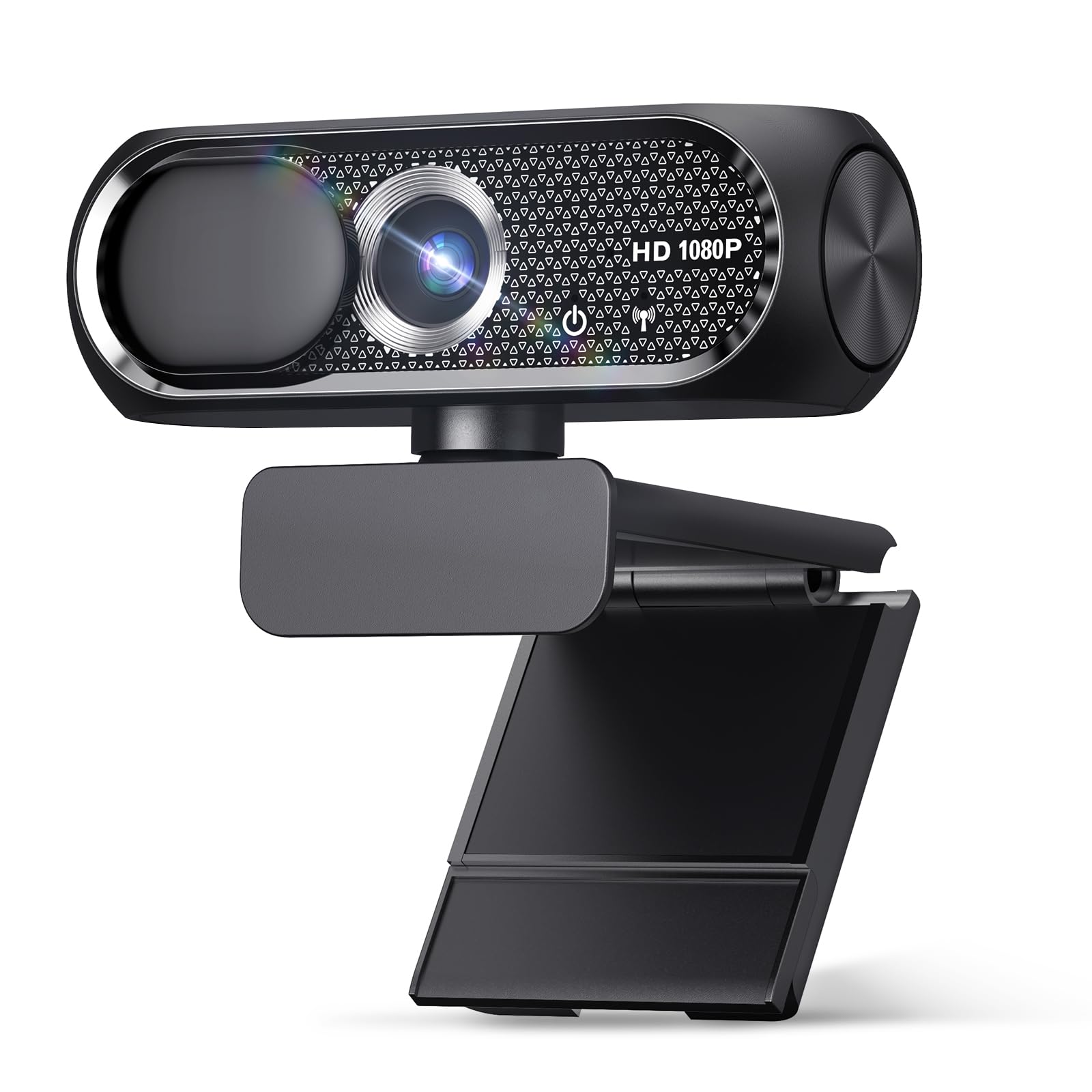
YIMONA 1080p Webcam with Microphone & Privacy Cover
YIMONA

1080p Webcam with Microphone & Privacy Cover

7.4
/ 10
Fair

YIMONA's 1080p webcam with built-in privacy slider — a feature only the premium Logitech Brio offers above. Sub-£15 price means budget components elsewhere; treat as a starter webcam.

Why we love it
  • Privacy cover at budget price
  • Sub-£15 entry
  • Plug-and-play
  • 1080p resolution
Watch out for
  • Generic brand support
  • Microphone basic
  • Plastic build
Resolution
1080p
Privacy
Built-in cover
Microphone
Built-in
Brand
Generic
Price
Sub-£15
09
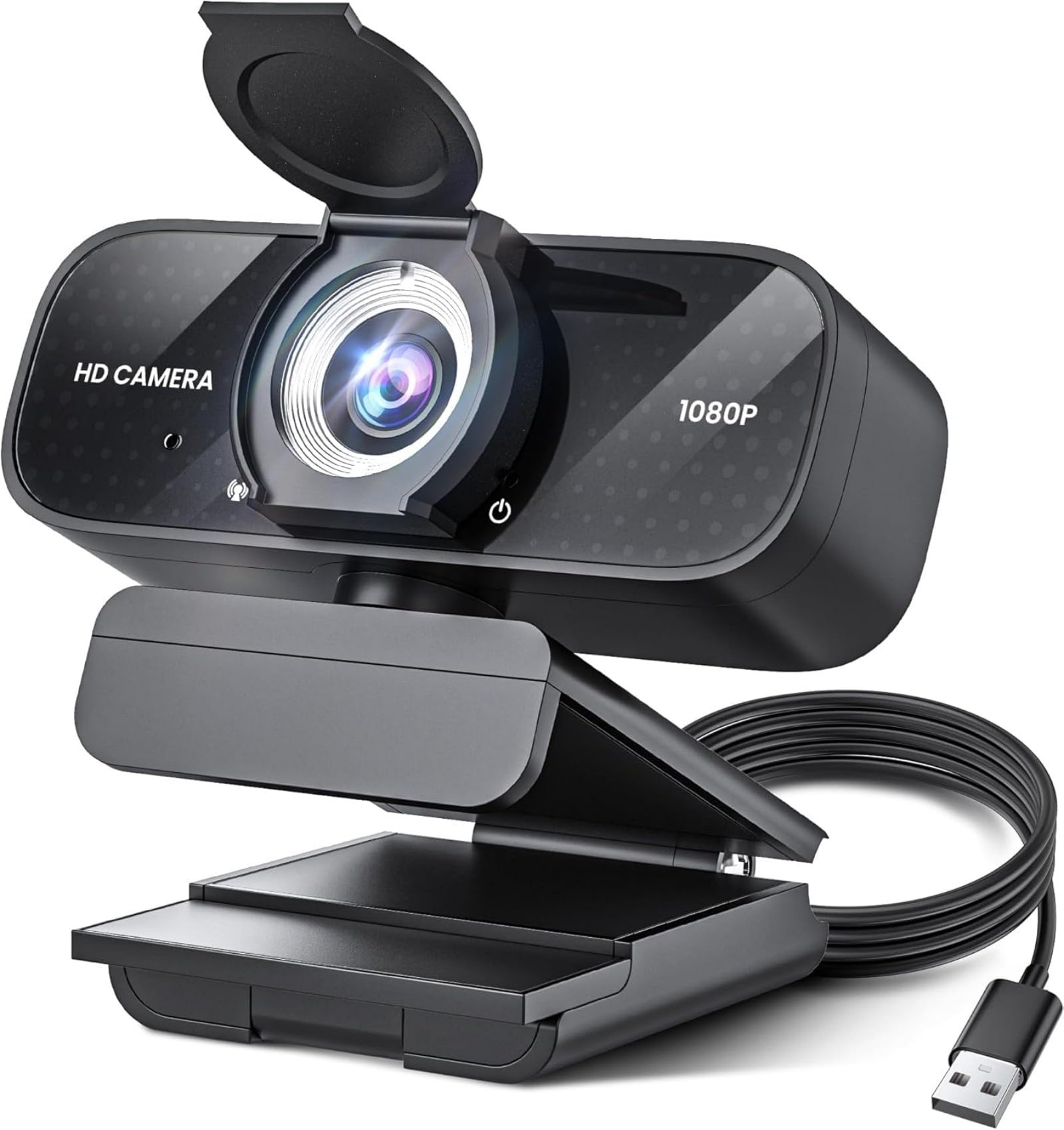
Generic 1080p HD Webcam with Microphone (Noise Cancellation)
Generic

1080p HD Webcam with Microphone (Noise Cancellation)

7
/ 10
Fair

Generic budget 1080p webcam with software noise-cancellation. Spec checks the boxes; build matches the price tier. Fine as a quick fix when a laptop webcam fails.

Why we love it
  • Sub-£15 budget
  • Software noise cancellation
  • 1080p resolution
  • Lightweight
Watch out for
  • Generic brand
  • Limited warranty
  • Sensor quality below branded picks
Resolution
1080p
Noise cancellation
Software
Microphone
Built-in
Brand
Generic
Use case
Emergency replacement
Editor's Pick
10
TRAUSI 1080p HD Webcam with Microphone
TRAUSI

1080p HD Webcam with Microphone

6.6
/ 10
Fair

TRAUSI sub-budget pick — 1080p resolution with built-in noise-cancelling microphone at sub-£15. Same caveats as the other generic picks; functional but not refined.

Why we love it
  • Cheapest 1080p entry
  • Noise-cancelling mic claimed
  • Plug-and-play USB
  • Lightweight
Watch out for
  • Generic build quality
  • Minimal warranty
  • Limited firmware updates
Resolution
1080p
Microphone
Built-in
Brand
Generic
Connection
USB-A
Price
Sub-£15
The verdict

Logitech C920 wins on track record; Brio 100 is the modern upgrade.

The Logitech C920 takes the top spot for the same reason it's been the go-to streaming webcam since 2012: it just works. 1080p/30 fps from a competent CMOS sensor, autofocus, dual built-in mics, and the longest firmware-support tail of any webcam on Amazon UK. For Zoom, Teams, OBS or any video software, the C920 is the safe default.

For users wanting the latest sensor and built-in privacy shutter, the Logitech Brio 100 is the modern upgrade. Same 1080p resolution but with auto-light correction (helpful for backlit setups), a clip-on cover for privacy when not in use, and refined image processing. The premium is worth it for daily-call users.

The 4K webcams (UGREEN 4K at #3) are technically capable but the practical benefit is small — Zoom and Teams cap at 1080p on most plans, and 4K from a small webcam sensor doesn't actually look much better than 1080p from a good sensor. Skip 4K unless you're recording locally for YouTube or doing pro presentation work.

Frequently asked

Common questions

Is a 4K webcam worth it?
For Zoom/Teams calls: no — both apps cap at 1080p on most plans. For local recording (OBS, screen recording for YouTube): yes if you want crisp full-resolution capture. For most home-office users, a good 1080p webcam (Logitech C920) outperforms a mediocre 4K webcam in real-world image quality.
How important is the built-in microphone?
For casual calls: good enough. For professional video calls (interviews, presentations): consider a separate USB mic. Webcam mics suffer from being far from your mouth and exposed to keyboard/fan noise. A £30 USB mic (Fifine K669, Samson Q2U) dramatically improves audio quality vs any webcam mic.
Does the webcam work with both Mac and Windows?
Every webcam in this list works with both — USB cameras use UVC (USB Video Class) which all modern operating systems support natively. No driver installation needed for basic functionality. Logitech's bundled software (G Hub, Logi Capture) is the exception — it provides extra controls but isn't required.
What's the difference between 720p and 1080p webcams?
1080p (1920×1080) shows more detail and looks more professional. 720p (1280×720) is the bare minimum and looks dated. Most call apps support both, but 1080p is the modern default. The price difference is small (£10-£20), so 1080p is the safer pick.
Do I need a webcam if my laptop has one?
Laptop webcams are usually 720p with small sensors and harsh exposure — they look fine in good light, poor in dim conditions or backlit setups (window behind you). An external 1080p webcam costs £60-£80 and dramatically improves how you appear in calls. Worth it if you do video calls more than once a week.
BP
About the editor

Best Products UK Editorial Team

Best Products UK is an independent UK product-review aggregator. Our editorial team synthesises hands-on reviews from leading UK consumer publications — Which?, Wired UK, T3, Tom's Guide UK, Trusted Reviews, TechRadar, Good Housekeeping, Expert Reviews, Stuff and others — into clear, ranked top-ten guides for UK shoppers. We do not run a physical test lab. We tell you which products UK reviewers agree on, where they disagree, and which the data says is right for your budget. Our methodology is published openly at /about/#methodology.