Best Products UK
In-depth review · 10 products ranked

Best Wireless Keyboards of 2026

Last reviewed 19 May 2026 by Best Products UK Editorial Team

Wireless keyboards used to mean spongy keys, lag and weekly battery replacements. In 2026 the better ones are indistinguishable from wired keyboards in feel and latency, with weeks-to-months of battery life. The reason to buy wireless now is multi-device pairing (one keyboard between phone, tablet and PC), portability, or a cleaner desk — not because wired keyboards stopped working.

BP
Best Products UK Editorial Team
Editorial team
Published 30 April 2026
7 min read
Advertisement. As an Amazon Associate, Best Products UK earns from qualifying purchases. This article contains affiliate links. If you buy a product through one of these links, we earn a commission from the retailer at no extra cost to you. Our ranked picks are made independently of these commercial arrangements — read how we rank and our full affiliate disclosure. Prices on Amazon change frequently — always click through to verify the current price before buying.
At a glance

The 3 picks worth skipping ahead for

How we tested

Best Products UK is a review aggregator, not a test lab. For this guide we read Amazon UK customer reviews focused on real-world battery life, pairing reliability after sleep/wake, and key-feel preference over months of use; cross-referenced against RTINGS, The Verge and Wirecutter testing; and weighted long-term ownership signals (key wobble, USB receiver reliability, USB-C charging port wear) more heavily than first-week unboxing impressions. Mechanical, scissor-switch and membrane categories are treated separately because they suit different users.

Jump to a pick
Best Choice
01
Logitech MX Keys Mini Wireless Illuminated Keyboard
Logitech

MX Keys Mini Wireless Illuminated Keyboard

9.3
/ 10
Excellent

Logitech's compact premium wireless keyboard. 75% layout (no numpad, all keys present), smart backlight that detects hand proximity, USB-C charging, and Easy-Switch button to bounce between three devices. The most refined wireless keyboard at the price.

Why we love it
  • Smart backlight (proximity sensor)
  • Easy-Switch between 3 devices
  • USB-C charging, 5-month battery
  • Quiet scissor-switch keys
Watch out for
  • No numpad (75% layout)
  • Premium price
  • Logi Options+ software required for full features
Switch
Scissor (low-profile)
Layout
75% (84 keys)
Connectivity
Bluetooth + Logi Bolt USB
Battery
Up to 5 months (with backlight off)
Charging
USB-C
Premium Pick
02
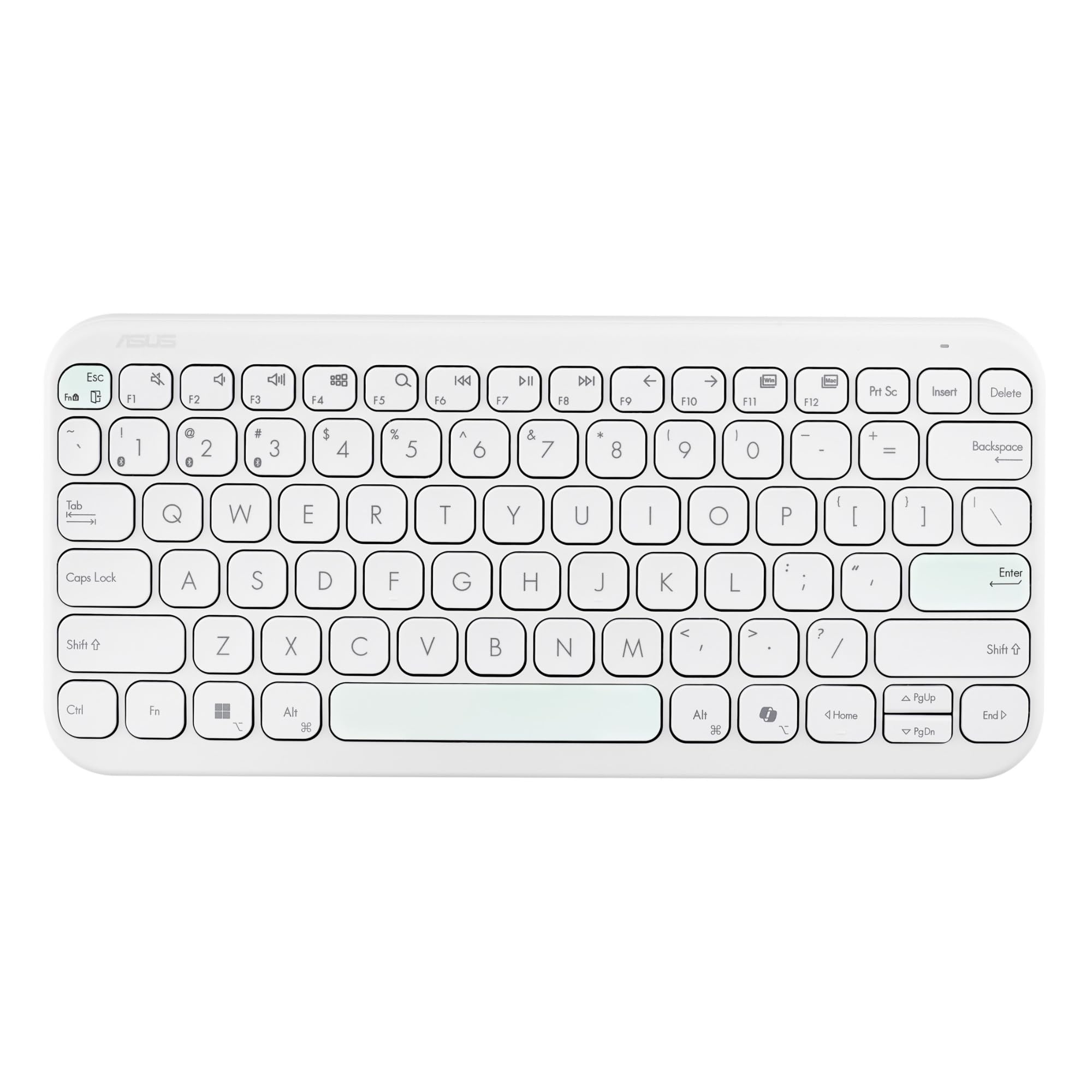
ASUS KW100 Marshmallow Wireless Keyboard
ASUS

KW100 Marshmallow Wireless Keyboard

9
/ 10
Excellent

ASUS's compact 75% Bluetooth keyboard with a soft-tactile membrane design and pastel colour finishes. Aesthetically more memorable than the Logitech MX Keys; key feel is slightly softer and quieter.

Why we love it
  • Soft-tactile quiet keys
  • Premium aesthetic options
  • 75% layout
  • Bluetooth multi-device
Watch out for
  • ASUS support less mature than Logitech for keyboards
  • No backlight
  • AA batteries (not rechargeable)
Switch
Membrane (soft tactile)
Layout
75%
Connectivity
Bluetooth multi-device
Battery
AA
Backlight
No
03
Logitech K400 Plus Wireless Touch Keyboard with Touchpad
Logitech

K400 Plus Wireless Touch Keyboard with Touchpad

9
/ 10
Excellent

The default UK HTPC keyboard for over 10 years. Membrane keys, integrated touchpad on the right side, 2.4 GHz wireless via tiny USB dongle. Designed to be used from the sofa connecting to a TV-attached PC or smart TV with USB keyboard support.

Why we love it
  • Built-in touchpad (no separate mouse)
  • Designed for sofa/TV use
  • AA battery — months of life
  • Sub-£25 reliable workhorse
Watch out for
  • Membrane keys (less premium feel)
  • 2.4 GHz dongle only (no Bluetooth)
  • Single host device
Switch
Membrane
Layout
Compact + touchpad
Connectivity
2.4 GHz USB dongle
Battery
AA (2x)
Touchpad
Yes, right side
Value for Money
04
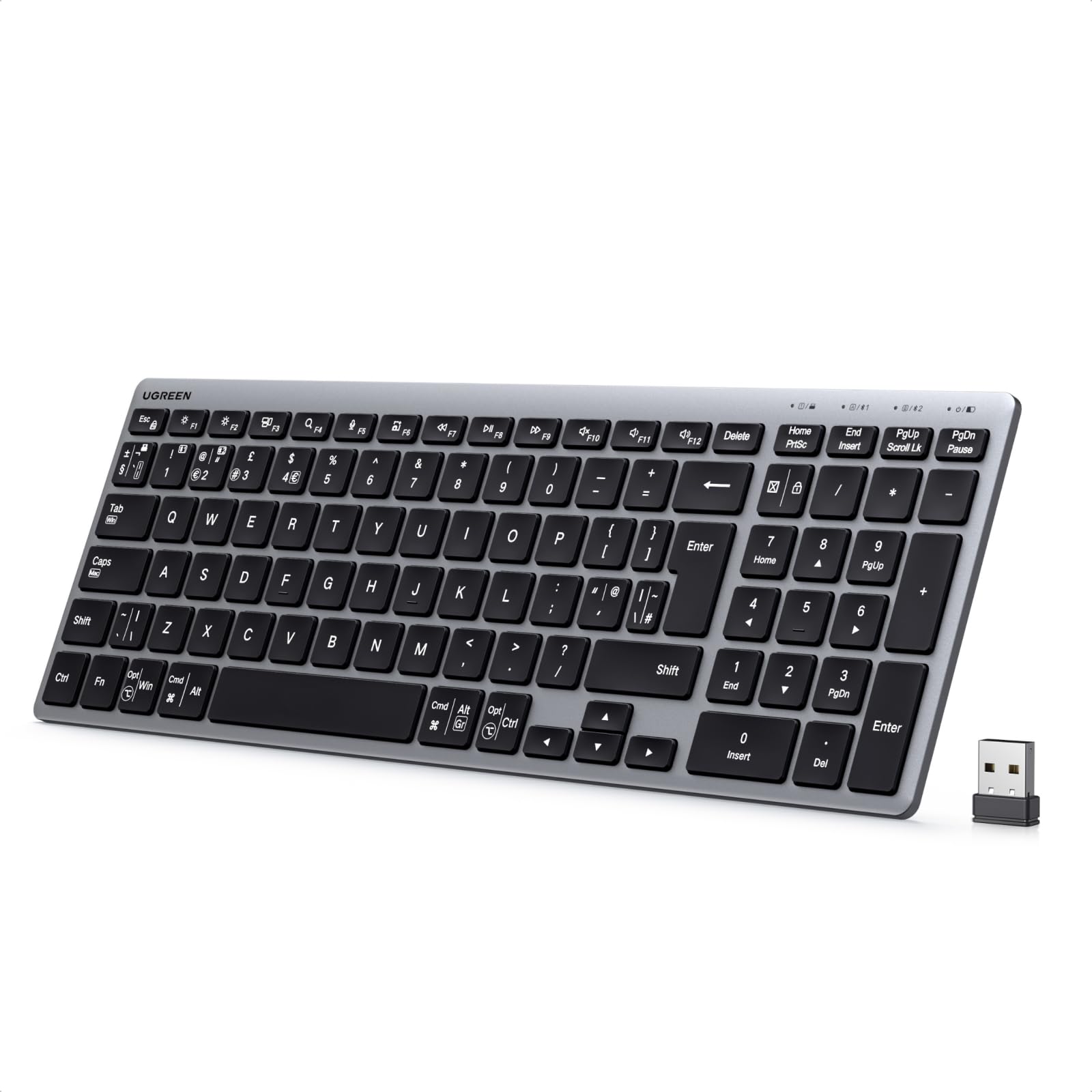
UGREEN Bluetooth Multi-Device Wireless Keyboard
UGREEN

Bluetooth Multi-Device Wireless Keyboard

8.5
/ 10
Very Good

UGREEN is a fast-growing peripheral brand with strong build quality at competitive prices. The Bluetooth keyboard pairs to multiple devices and runs months on AAA. The best value sub-£25 multi-device keyboard.

Why we love it
  • Multi-device Bluetooth (3 hosts)
  • Sub-£25 sweet-spot price
  • UGREEN build quality
  • Long AAA battery life
Watch out for
  • Layout slightly cramped
  • AAA batteries (not rechargeable)
  • Membrane keys
Switch
Membrane
Multi-device
3 hosts
Connectivity
Bluetooth
Battery
AAA
Price tier
Sub-£25
05
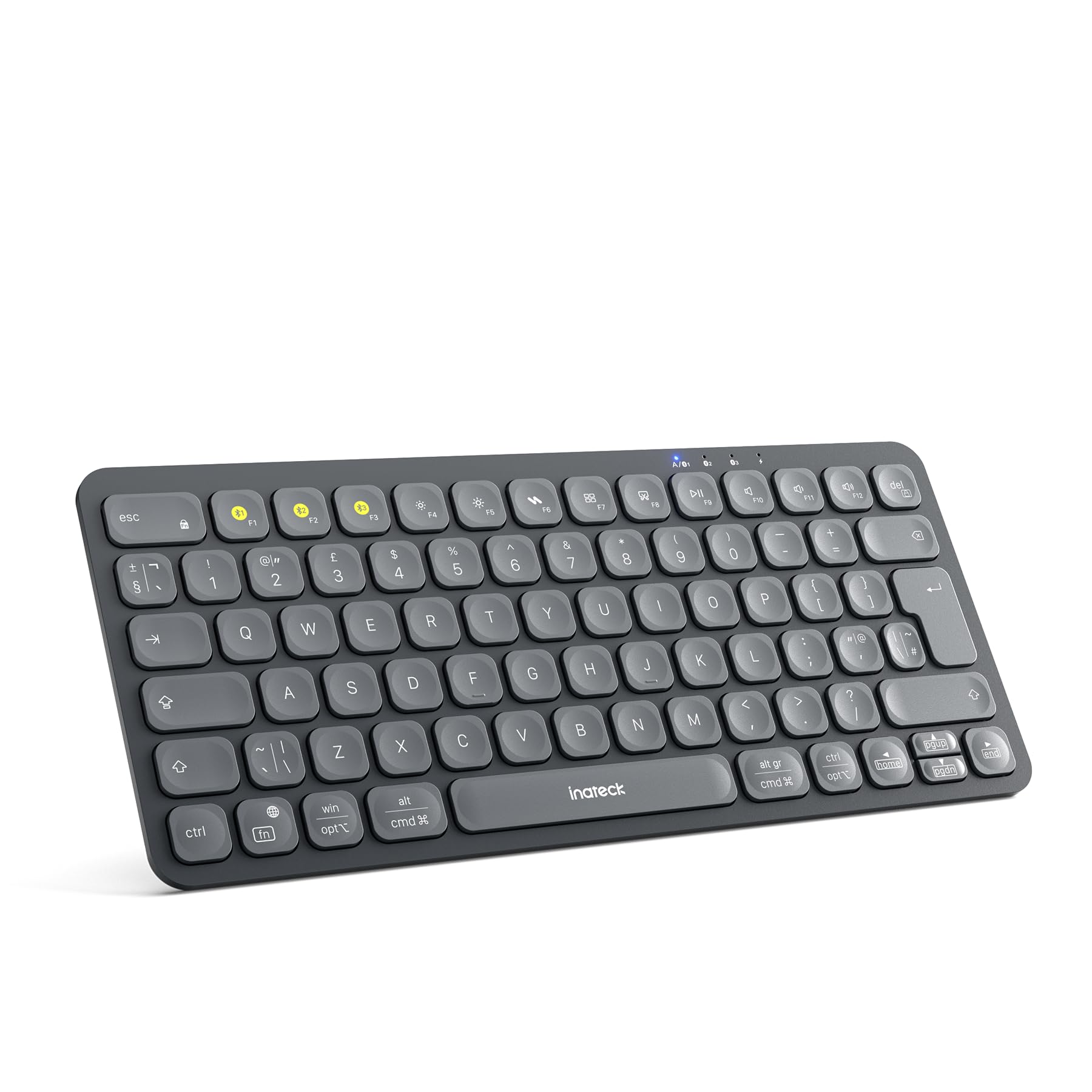
Inateck Bluetooth Wireless Keyboard (3-Channel Easy-Switch)
Inateck

Bluetooth Wireless Keyboard (3-Channel Easy-Switch)

8.1
/ 10
Good

Inateck's 3-channel Bluetooth keyboard — dedicated buttons to switch between three paired devices. Compact 75% layout, scissor-switch keys (similar feel to a MacBook). Sub-£30 mid-budget pick.

Why we love it
  • 3-channel switching
  • Scissor-switch keys (laptop feel)
  • Sub-£30 multi-device price
  • Compact layout
Watch out for
  • Inateck brand less established than Logitech
  • No backlight
  • Battery sometimes drains during sleep
Switch
Scissor
Layout
75%
Connectivity
Bluetooth (3 hosts)
Charging
USB-C
Backlight
No
How to choose

Switch type, layout and multi-device support

Three buying questions sit on top of every wireless keyboard purchase. Get them right and brand becomes secondary.

1.
Switch type: scissor, membrane or mechanical

Scissor-switch (Logitech MX Keys, Apple Magic Keyboard): low-profile, quiet, fast — best for typists and laptop-style feel. Membrane (most budget keyboards): cheapest, mushy feel, often quieter than mechanical. Mechanical (separate switches per key): tactile feedback, loud, satisfying but few wireless options at sensible prices. For mixed home/office use, scissor-switch is the modern default; mechanical is for typing enthusiasts.

2.
Layout: full-size vs TKL vs 75% vs 60%

Full-size (104 keys with numpad): for spreadsheet-heavy work. TKL/tenkeyless (87 keys, no numpad): saves desk space, keeps function row. 75% (compact, ~84 keys): like TKL but with keys packed together. 60% (61 keys, no function row): travel-focused, requires Fn-key combos for arrow keys and F-keys. For typing-only work, 75% is the sweet spot; for spreadsheet/data entry, full-size.

3.
Multi-device Bluetooth: the killer feature

The single best reason to choose wireless in 2026 is multi-device support. Keyboards with Easy-Switch (Logitech) or similar can pair to 3-4 devices simultaneously and switch between them with a key combo or button — your home PC, work laptop, iPad and phone, all on one keyboard. Look for '3-device' or '4-device Bluetooth' in the listing. 2.4 GHz dongle-only keyboards limit you to one host.

For daily home-office use, the Logitech MX Keys Mini or ASUS Marshmallow at the premium tier; UGREEN or Inateck at budget; K400 Plus specifically for HTPC/TV use.

06
Logitech MK270 Wireless Keyboard and Mouse Combo
Logitech

MK270 Wireless Keyboard and Mouse Combo

8.1
/ 10
Good

Logitech's default budget keyboard+mouse combo. Full-size 104-key layout, basic mouse, 2.4 GHz dongle. For office desktop setups where you need both peripherals at a sub-£25 budget, this is the safe pick.

Why we love it
  • Mouse + keyboard at sub-£25
  • Logitech reliability
  • Full-size layout with numpad
  • AAA batteries last months
Watch out for
  • 2.4 GHz dongle (single host, not Bluetooth)
  • Mouse basic — not for gaming
  • Membrane keys (mushy)
Switch
Membrane
Layout
Full-size 104
Connectivity
2.4 GHz USB dongle
Bundle
Keyboard + mouse
Battery
AAA (both)
07
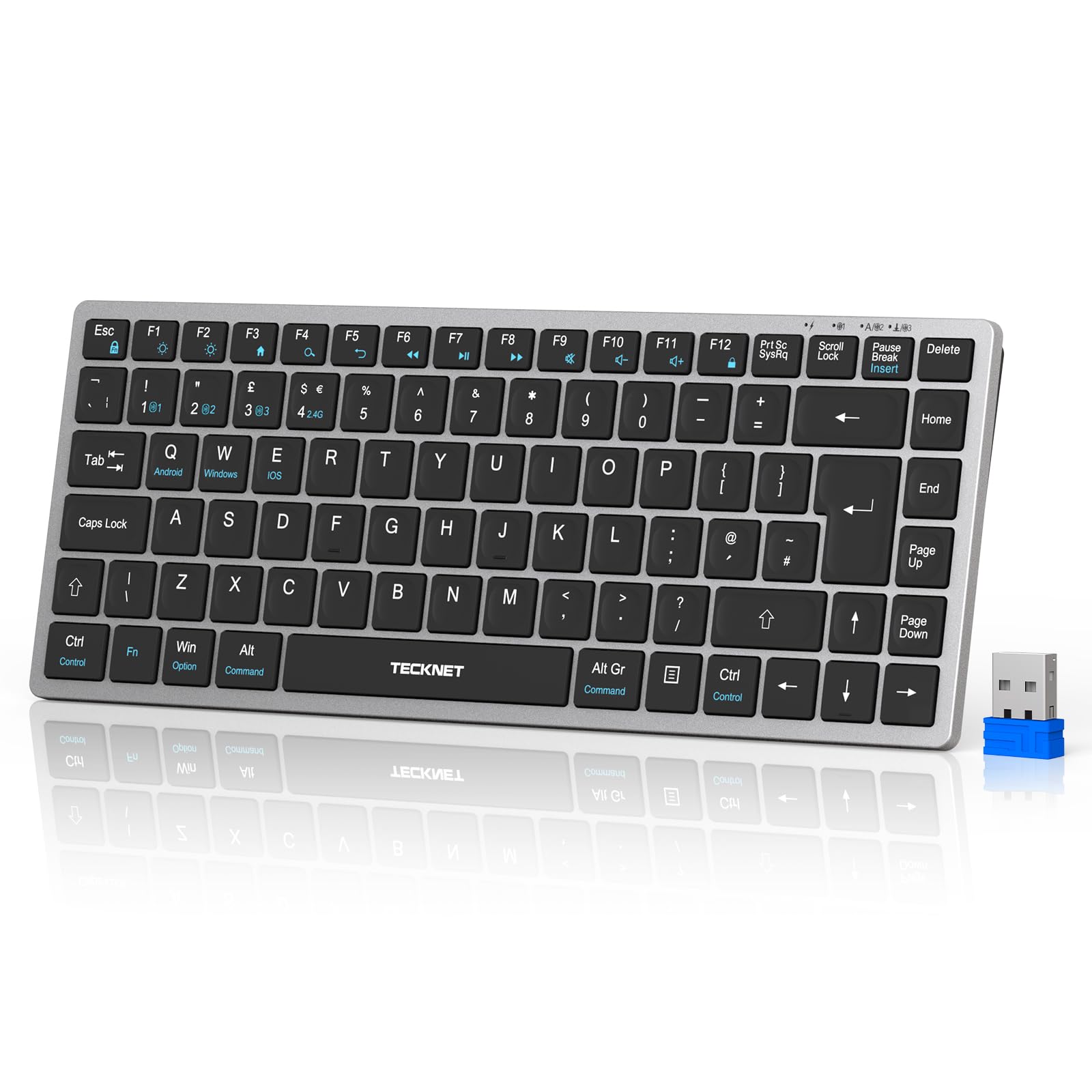
TECKNET 2.4 GHz Wireless Keyboard
TECKNET

2.4 GHz Wireless Keyboard

7.8
/ 10
Good

TECKNET's rechargeable 2.4 GHz keyboard with Bluetooth fallback. USB-C charging instead of disposable AAAs is the appealing feature; build quality matches the budget price.

Why we love it
  • USB-C rechargeable (no AAAs)
  • 2.4 GHz + Bluetooth dual-mode
  • Sub-£15 budget
  • Quiet membrane keys
Watch out for
  • Membrane keys mushy
  • Battery longevity unproven
  • Generic brand support
Switch
Membrane
Connectivity
2.4 GHz + Bluetooth
Charging
USB-C
Brand
Budget
Layout
Full-size
08
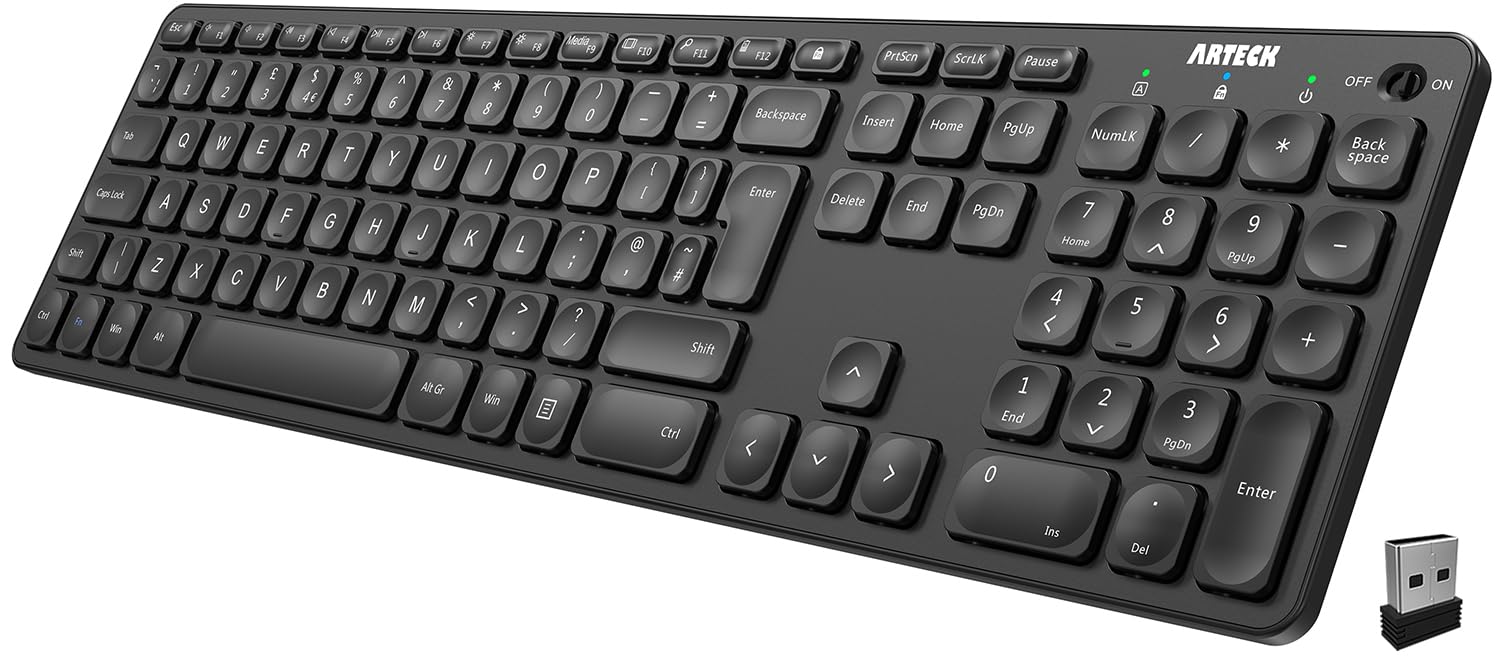
Arteck 2.4 GHz Ultra-Slim Full-Size Wireless Keyboard
Arteck

2.4 GHz Ultra-Slim Full-Size Wireless Keyboard

7.2
/ 10
Fair

Arteck's ultra-slim full-size keyboard with stainless-steel back. Built-in rechargeable battery (no AAAs), media hotkeys, and a thin profile that fits travel bags. Sub-£25 with surprising build feel.

Why we love it
  • Stainless-steel cover (premium feel)
  • Built-in rechargeable battery
  • Full-size with numpad
  • Slim profile
Watch out for
  • 2.4 GHz dongle (no Bluetooth)
  • Battery degrades after 2-3 years
  • Limited brand support
Switch
Scissor (low-profile)
Layout
Full-size 104
Connectivity
2.4 GHz USB dongle
Battery
Built-in rechargeable
Cover
Stainless steel
09
HP 230 Wireless Keyboard and Mouse Combo
HP

230 Wireless Keyboard and Mouse Combo

7.2
/ 10
Fair

HP's branded budget keyboard+mouse combo. Functionally similar to Logitech MK270 — full-size membrane keyboard, basic mouse, 2.4 GHz dongle. Choose between this and the MK270 on price and aesthetic preference.

Why we love it
  • HP brand recognition
  • Mouse + keyboard bundle
  • Sub-£20 starter set
  • Full-size layout
Watch out for
  • Membrane feel
  • 2.4 GHz dongle only
  • Mouse basic
Switch
Membrane
Layout
Full-size
Connectivity
2.4 GHz USB
Bundle
Keyboard + mouse
Brand
HP
Editor's Pick
10
TECKNET 2.4G Wireless Keyboard (Basic)
TECKNET

2.4G Wireless Keyboard (Basic)

6.8
/ 10
Fair

TECKNET's most basic offering — entry-level 2.4 GHz keyboard at sub-£15. Useful as a spare or for a Chromebox/HTPC setup; build matches the very-budget tier.

Why we love it
  • Sub-£15 cheapest entry
  • Compatible with Windows + Chrome OS
  • AAA-powered (no charging)
  • Lightweight
Watch out for
  • Cheap key feel
  • Generic brand support
  • Limited warranty
Switch
Membrane
Connectivity
2.4 GHz USB dongle
Battery
AAA
Brand
Budget
Price
Sub-£15
The verdict

Logitech MX Keys Mini wins on build; Logitech K400 Plus is the TV/multimedia pick.

The Logitech MX Keys Mini takes the top spot because it's the most considered wireless keyboard on the list — backlit keys, USB-C charging (5-month battery life claimed, 6 weeks realistic), three-device Bluetooth switching, and Logitech's Easy-Switch button that lets you bounce between Mac and PC without re-pairing. The compact 75% layout drops the numpad, which is the right trade for desk space in most home offices.

The Logitech K400 Plus is the surprise pick at #3 — it's a budget membrane keyboard with a built-in touchpad, designed for connecting to a smart TV or media-PC from the sofa. For HTPC use, the K400 has been the default recommendation for over a decade and there's no real competition at the price.

Below £30, the picture is honest. UGREEN, Inateck and TECKNET sell capable Bluetooth keyboards at sub-£25 — they don't match Logitech on key feel but they pair reliably and run for months on a single charge. For travel or backup-keyboard use these are fine; for daily typing the MX Keys Mini or ASUS Marshmallow earns its premium.

Frequently asked

Common questions

Bluetooth or 2.4 GHz USB dongle?
Bluetooth: multi-device support (pair to phone, tablet, PC simultaneously), no spare USB port needed, slightly higher latency. 2.4 GHz USB dongle: single host, no pairing menu (just plug in the dongle), slightly lower latency, doesn't drain laptop USB ports. For most desk users Bluetooth is more flexible; for gamers or pro-typists who want minimum lag, 2.4 GHz.
Do wireless keyboards have lag?
Modern Bluetooth and 2.4 GHz wireless keyboards have <10 ms latency — imperceptible for typing. Even pro typists won't notice the difference vs wired. The exception is competitive gaming (CS:GO, Valorant) where some pros prefer wired for the absolute lowest latency, but for typing and general use wireless is functionally identical.
How long does the battery last?
Bluetooth low-energy keyboards: 6-12 months on a charge (Logitech MX Keys claims 5 months with backlight, 6+ weeks realistic with backlight on; 12+ months with backlight off). AA/AAA-powered keyboards: 12-24 months on a single set. Backlit keyboards drain 3-5x faster than non-backlit.
Will my wireless keyboard work with Mac and PC?
All Bluetooth keyboards work with both. Multi-device keyboards (Logitech MX Keys, Apple Magic Keyboard with USB-C) explicitly support switching between Mac and Windows. Key labels may differ — Mac users see Command/Option, PC users see Ctrl/Alt — but the keys work identically; Logitech includes secondary labels for both.
Mechanical vs scissor-switch — what's the difference?
Mechanical: each key has a discrete switch with tactile feedback, loud (or quiet with 'silent' switches), long lifespan (50M+ keystrokes), favoured by typists and gamers. Scissor-switch: low-profile, found in laptops and Apple Magic Keyboards, quiet, fast typing feel. Membrane: cheapest, mushy feedback, common in budget keyboards. For wireless, scissor-switch is most common at premium; mechanical wireless keyboards exist but cost £100+.
BP
About the editor

Best Products UK Editorial Team

Best Products UK is an independent UK product-review aggregator. Our editorial team synthesises hands-on reviews from leading UK consumer publications — Which?, Wired UK, T3, Tom's Guide UK, Trusted Reviews, TechRadar, Good Housekeeping, Expert Reviews, Stuff and others — into clear, ranked top-ten guides for UK shoppers. We do not run a physical test lab. We tell you which products UK reviewers agree on, where they disagree, and which the data says is right for your budget. Our methodology is published openly at /about/#methodology.